
Overview
MarsLab is a customizable NVIDIA Isaac Sim 5.1 platform for planetary rover autonomy research. It combines Prebuilt Martian Environments, Rover dynamics, Cameras, LiDAR, IMU, Wheel Odometry, and independent Ground-Truth trajectories in one runtime. An ROS 2 Jazzy bridge connects these outputs to external perception, SLAM, Navigation, and Visual Place Recognition (VPR) systems.
MarsLab includes four selectable rover profiles: Perseverance, Curiosity, Opportunity, and Spirit. This guide covers their shared setup and their different geometry, cameras, sensing outputs, and tuning defaults. Perseverance is selected by default, but you can change the configuration to simulate Curiosity, Opportunity, or Spirit.
Start Here
- New Installation: set up the environments and assets, then launch your first simulation.
- Choose a Rover: Perseverance, Curiosity, Opportunity, or Spirit.
- New Experiment: create a scenario, choose an environment, and tune one subsystem at a time.
- Connecting a Robotics Stack: check topics, QoS, and TF ownership.
How MarsLab is organized
Each run combines a scenario YAML with a rover profile. The runtime validates the configuration and required assets before starting Isaac Sim, loads the scene and rover, applies physics and sensor settings, and then runs control, sensing, and publication. Resources are released during shutdown.
| Part | Role |
|---|---|
configs/config.yaml |
Scenario: scene, runtime mode, environment, rendering, and optional rover overrides |
configs/robots/ |
Profiles for Perseverance, Curiosity, Opportunity, and Spirit |
assets/ |
Rover USD/URDF assets, downloaded terrain, and sky textures |
marslab/ |
Runtime, configuration, physics, control, rendering, sensors, and ROS bridge |
launch/ |
ROS companion for the robot description and articulated TF tree |
Installation
Requirements
| Component | Setup |
|---|---|
| Operating system | Linux supported by your Isaac Sim 5.1 installation |
| Simulator and GPU | NVIDIA Isaac Sim 5.1 and a GPU supported by its renderer |
| ROS | ROS 2 Jazzy, required when using the ROS interfaces |
| Python | Isaac Sim’s bundled Python for simulation; ROS 2 Jazzy’s Python for the companion |
| Assets | Rover assets from the repository and a separately downloaded Mars scene |
Install Isaac Sim first. For ROS integration, also install ROS 2 Jazzy with robot_state_publisher and tf2_ros. Run the simulator and ROS companion in separate terminals.
Clone the repository and download a scene
git clone https://github.com/kimhoyun-robotair/MarsLab.git
cd MarsLab
Download the MarsLab scene assets, and place the extracted scene directories under assets/scene/. The default configuration expects:
assets/scene/jezero_plain/jezero_plain.usdzThe repository includes rover USD, companion URDF, meshes, and textures. Keep each rover’s supporting asset files together; a USD or URDF alone is not the complete model.
Install Python dependencies
The launcher looks for Isaac Sim at $HOME/isaacsim. If it is installed elsewhere, set the path in the simulator terminal:
export ISAAC_SIM_PATH=/path/to/isaacsimFrom the MarsLab repository root, install the simulator dependencies into Isaac Sim’s bundled Python:
marslab/isaac_python.sh -m pip install -r requirements.txtThe ROS companion also needs PyYAML 6+ and Pydantic 2+ available to the Python interpreter used by ros2 launch.
First run
Run the following commands from the MarsLab repository root in each terminal.
Terminal 1: simulator
marslab/isaac_python.sh marslab/main.py \
  --config configs/config.yaml
This starts the default Perseverance profile in Jezero Plain with the GUI, atmosphere controls, and ROS bridge enabled.
Terminal 2: ROS companion
source /opt/ros/jazzy/setup.bash
ros2 launch launch/rover_state_publisher.launch.py \
  config:=configs/config.yaml
The companion publishes the selected rover’s robot description and articulation transforms. Keep both rover_state_publisher.launch.py and its helper companion_urdf.py in launch/.
Both terminals must use the same scenario and rover selection. For example, --robot curiosity in Terminal 1 corresponds to robot:=curiosity in Terminal 2. Without an explicit robot argument, both read the scenario’s robot field.
Check the running system
In a ROS terminal, inspect the topics and a primary image header:
ros2 topic list
ros2 topic echo /rover/rgb/image_raw \
  --qos-reliability best_effort --once --no-arr
Use the same ROS_DOMAIN_ID for the simulator, companion, and viewers. In RViz, set the Image display’s reliability to Best Effort. Use simulation time for ROS applications that consume /clock.
Send a low-speed driving command
Publish continuously while driving; the default command timeout is 0.5 simulated seconds. In a separate ROS terminal, send a forward command:
ros2 topic pub --rate 10 /rover/cmd_vel geometry_msgs/msg/Twist \
  '{linear: {x: 0.2}, angular: {z: 0.0}}'
Stop that publisher with Ctrl+C, then request a controlled stop:
ros2 topic pub --once /rover/cmd_vel geometry_msgs/msg/Twist \
  '{linear: {x: 0.0}, angular: {z: 0.0}}'
The control limits and deceleration ramp still apply. A stale command also requests a controlled stop.
Configuration
Scenario versus rover profile
Edit a scenario for experiment conditions. Edit a rover profile for model-specific geometry, joints, sensor mounts, or reusable hardware settings.
| Configuration section | What to change |
|---|---|
robot |
Select the profile: perseverance, curiosity, opportunity, or spirit |
scene |
Select the downloaded USDZ environment |
runtime |
Headless mode, ROS bridge, atmosphere, and RTX motion tracking |
mars_env |
Gravity, dust optical depth, solar position, and sun sweep |
rendering |
Renderer, anti-aliasing, sky, light, and fog appearance |
rover |
Override selected profile values for this experiment |
wheel_odom |
Choose whether MarsLab publishes dynamic odometry TF |
To keep the supplied scenario intact, create an experiment file beside it:
cp configs/config.yaml configs/my-run.yamlRelative asset paths resolve from the YAML file that declares them, not the terminal’s working directory. In the supplied layout, scenario paths begin with ../assets/, while profile paths begin with ../../assets/.
Apply a small override
The examples below are partial overrides. Merge them into the existing scenario’s matching sections; do not create duplicate YAML keys or replace the complete scenario with a snippet.
For a slower test with slightly more spawn clearance:
robot: perseverance
rover:
  spawn:
    z_offset: 0.15
  control:
    max_linear_velocity: 0.2
Nested mappings merge recursively. Lists replace the whole existing list, so changing a joint or camera list requires supplying its complete intended contents. Scenario overrides remain active when --robot selects another profile; keep model-specific geometry in the profile.
Launch your experiment with:
marslab/isaac_python.sh marslab/main.py \
  --config configs/my-run.yaml
Use config:=configs/my-run.yaml for the ROS companion as well.
Validate before a full launch
From the repository root, use the same launcher to check schemas and profile composition without starting the simulator:
marslab/isaac_python.sh - <<'PY'
from marslab.config import load_config

config = load_config("configs/my-run.yaml")
print(f"Validated rover: {config.rover.name}")
PY
Unknown keys, invalid types, and incompatible settings are rejected. Full startup additionally checks required assets and runtime constraints. A successful configuration check does not test physics, rendering, or ROS delivery.
For tuning, change one subsystem at a time, restart after YAML edits, and save the scenario, profile, sensor seed, and runtime versions with each experiment. GUI atmosphere edits affect only the current run.
Scenes and rovers
Select an environment
Set scene.usdz_path in your scenario. These paths assume the file remains in configs/:
| Scene | USDZ path |
|---|---|
| Jezero Plain — default | ../assets/scene/jezero_plain/jezero_plain.usdz |
| Main Crater | ../assets/scene/main_crater/main_crater.usdz |
| Grand Canyon | ../assets/scene/grand_canyon/grand_canyon.usdz |
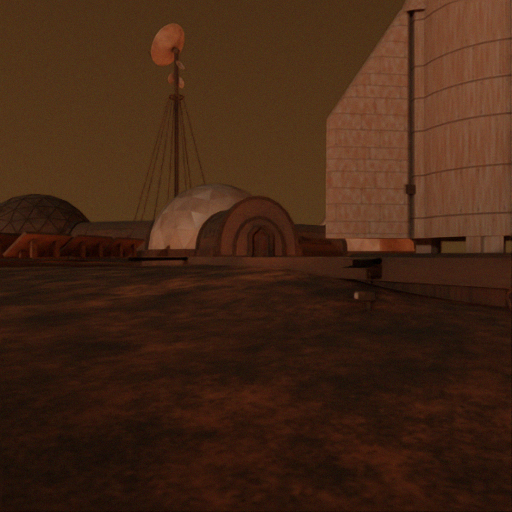
| Mars Base | ../assets/scene/mars_base/mars_base.usdz |
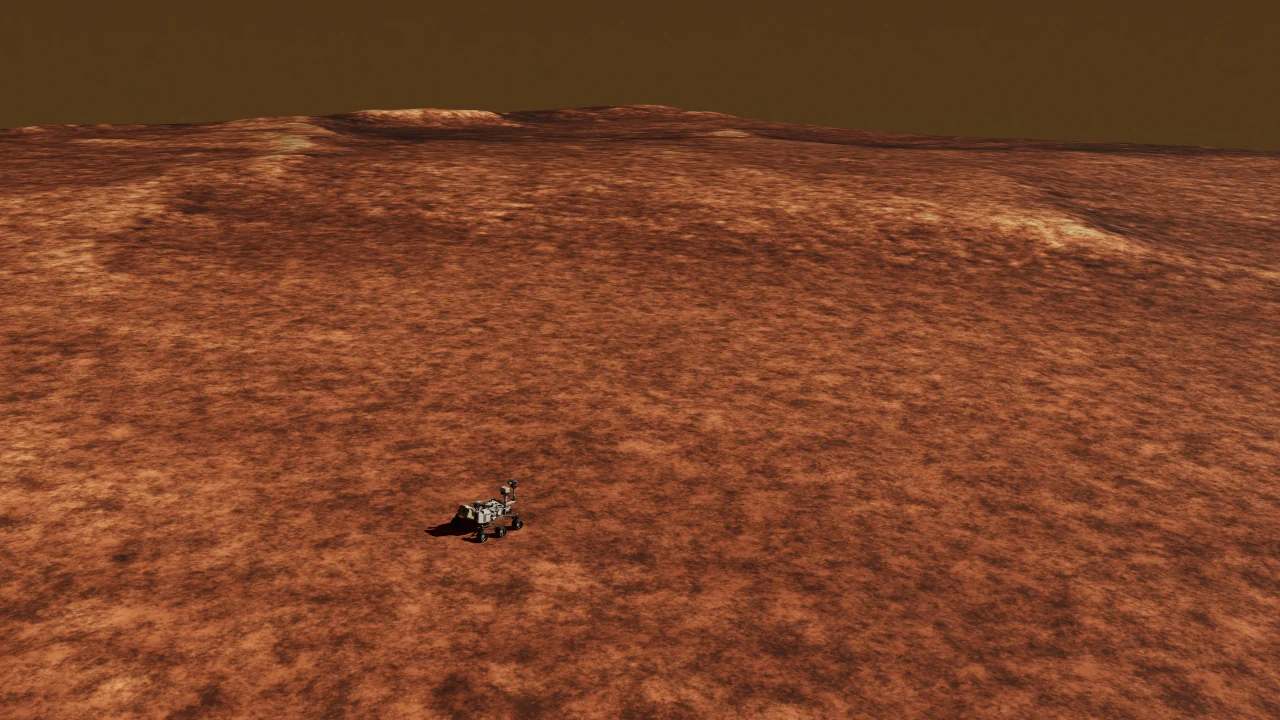
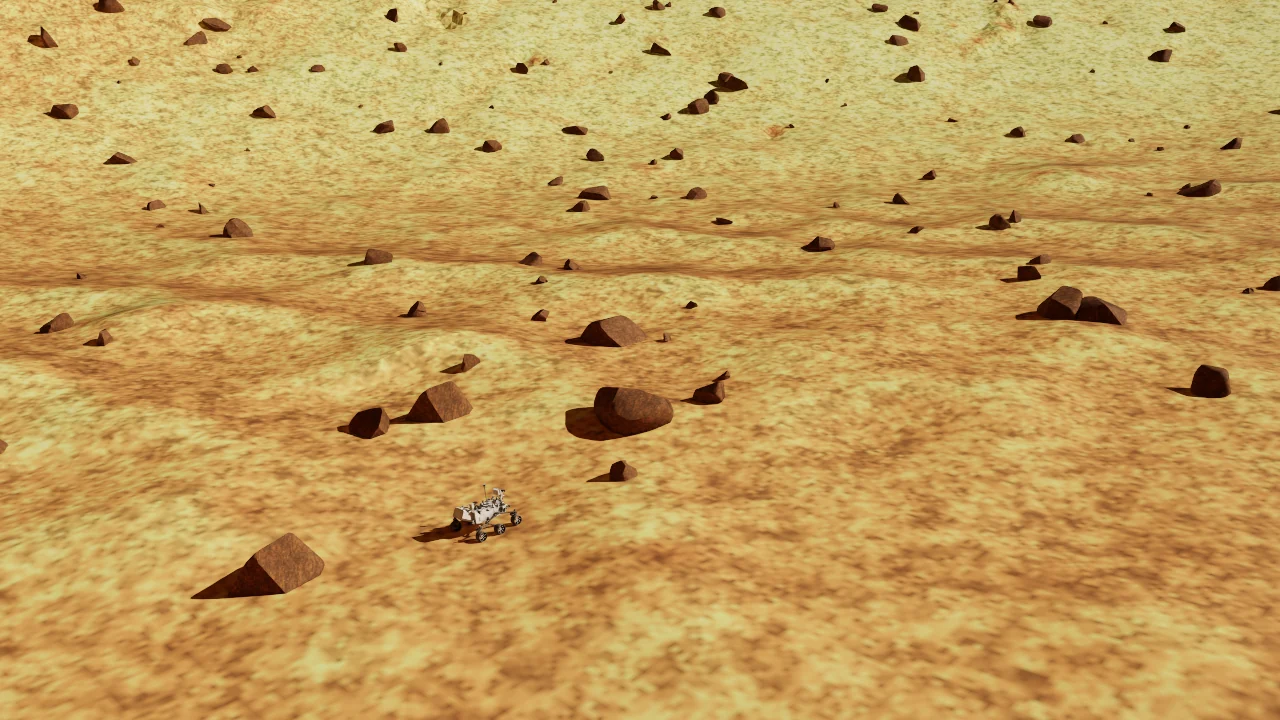
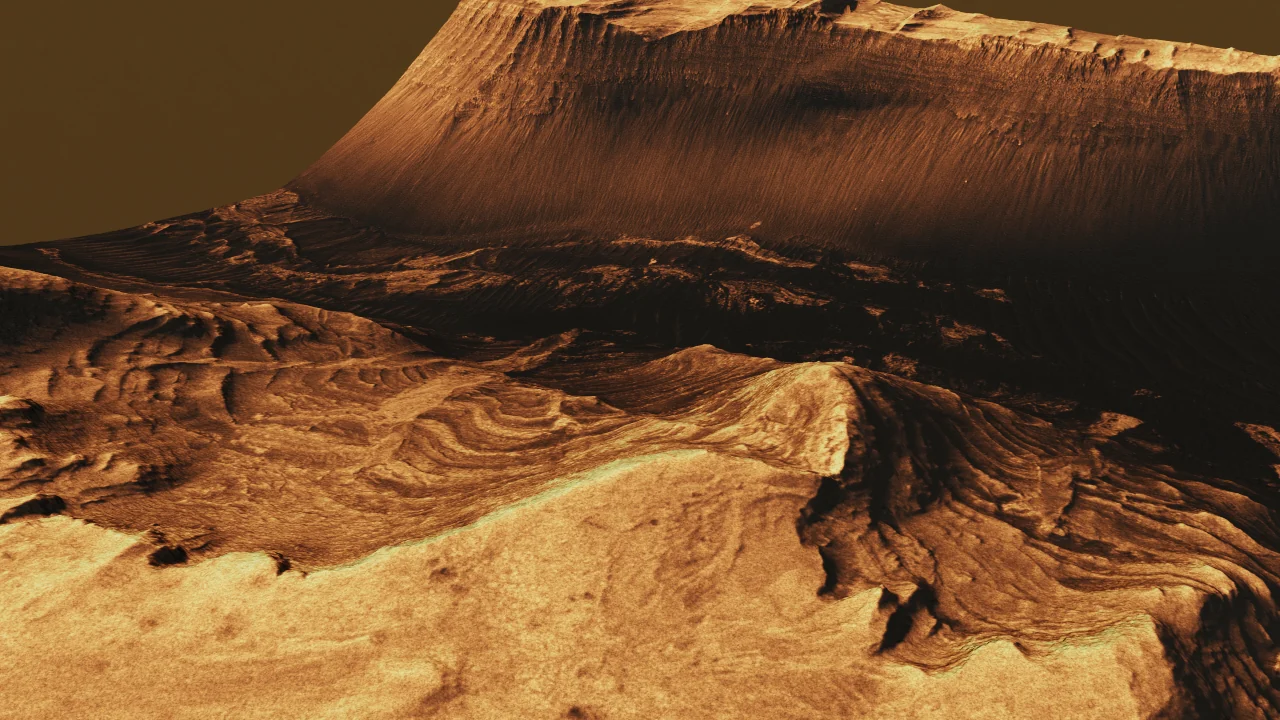
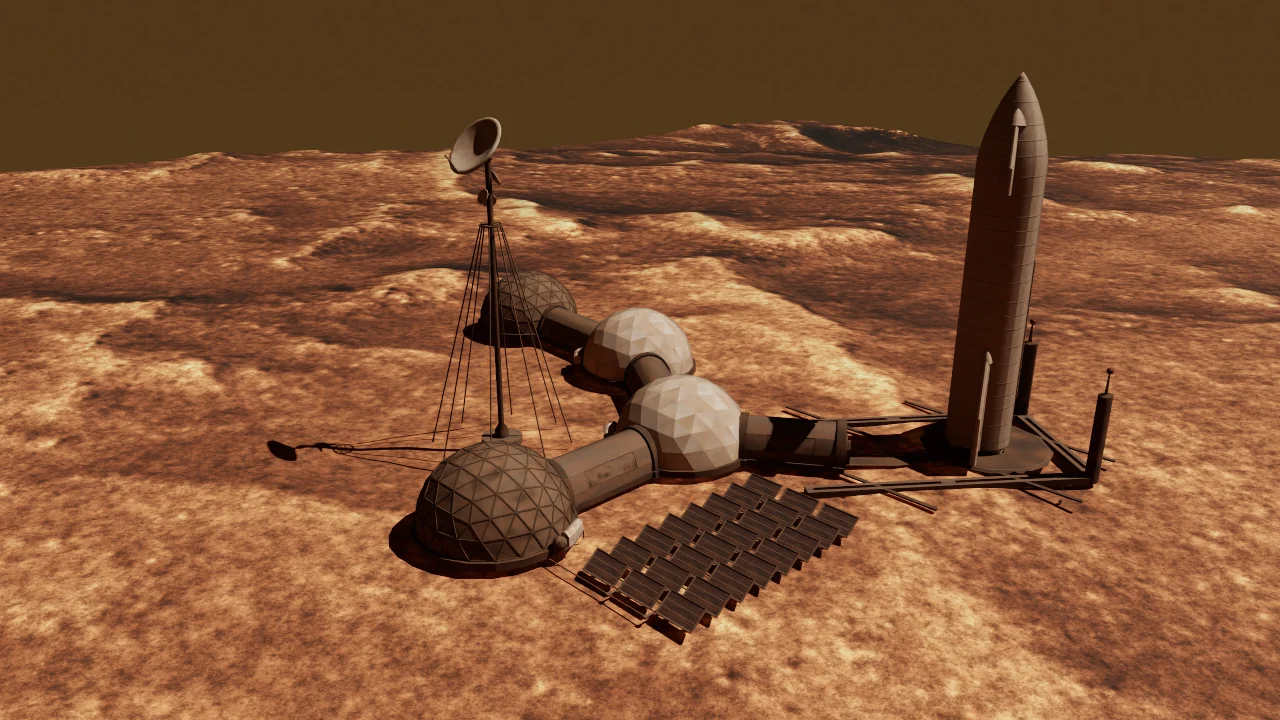
These views were captured from the four supplied scenes. Any rover profile can be paired with any of these environments; the pairings shown here are for illustration.
The runtime reads meshes and collision data from the scene. A neighboring DEM, generation recipe, or metadata file is not required for loading the USDZ.
Select a rover
marslab/isaac_python.sh marslab/main.py \
  --config configs/my-run.yaml --robot curiosity
Select the matching rover in the ROS companion. For the example above, pass config:=configs/my-run.yaml robot:=curiosity. The simulator’s --robot option overrides the scenario’s selector for that process only; it does not update the companion automatically.
| Rover | Isaac argument | ROS companion argument |
|---|---|---|
| Perseverance | --robot perseverance |
robot:=perseverance |
| Curiosity | --robot curiosity |
robot:=curiosity |
| Opportunity | --robot opportunity |
robot:=opportunity |
| Spirit | --robot spirit |
robot:=spirit |
Alternatively, set robot in the scenario and omit both command-line robot selectors. One run loads one rover; selecting a profile does not start a multi-rover simulation.
Place the rover
Use rover.spawn.mode to choose a reference:
dem_centerplaces the rover at the sampled terrain center.dem_relativeappliesxyrelative to the terrain-derived reference.absoluteuses the configured world-space horizontal position.
z_offset adds clearance above the sampled surface. orientation_rpy is in radians. Startup checks the rover’s collider footprint and raises the initial pose when needed for clearance; a location without supporting scene geometry fails startup. Recheck spawn and wheel contact after changing terrain.
Rover profiles
Each profile selects its own USD and companion URDF, mobility geometry, camera calibration, and sensor settings. All four share the six-wheel controller, wheel odometry, ground-truth publisher, and ROS namespace conventions.
Compare the supplied configurations
| Profile | Cameras | Primary image | Depth and LiDAR | IMU sampling |
|---|---|---|---|---|
| Perseverance | 1 | Research camera, 640 × 480 | Synthetic depth; 2-D and 3-D LiDAR | 30 Hz |
| Curiosity | 17 | Left Navcam A, 1024 × 1024 | Disabled | 8 Hz |
| Opportunity | 9 | Left Navcam, 1024 × 1024 | Disabled | 8 Hz |
| Spirit | 9 | Left Navcam, 1024 × 1024 | Disabled | 8 Hz |
Camera counts include the primary image and additional named views. They describe configured image-acquisition models, not every instrument or engineering sensor on a flight rover. Curiosity, Opportunity, and Spirit set both LiDAR entries to null and camera depth_output to false. Their reserved depth and LiDAR topic names do not create those sensor outputs.
The camera profiles retain NASA/JPL-derived calibration and use pinhole rendering. Instrument names identify the rendered viewpoint; they do not imply spectroscopy, detector physics, complete flight telemetry, or flight-validated dynamics.
Perseverance
The default Perseverance-like research platform combines recognizable rover geometry with a deliberately simplified sensor suite for RGB-D, LiDAR, and inertial autonomy experiments. It uses six driven wheels, four steerable corner wheels, and passive rocker-bogie suspension.
- Profile:
configs/robots/perseverance.yaml. - Assets:
assets/robots/perseverance/m2020_lidar.usdaandm2020_lidar.urdf. - Primary camera: one chassis-referenced 640 × 480 research camera at the left Navcam mast reference, with 135° horizontal FOV. It does not implement a full Mastcam-Z stereo/zoom system.
- Research sensors: synthetic depth and XYZ cloud, 2-D and 3-D LiDAR, and a 30 Hz IMU. Added depth noise is initially disabled; the separate noisy IMU stream has nonzero configured noise.
- Odometry: configured left/right slip terms are 0.02, with wheel-rate noise sigma 0.05. These perturb the estimate rather than implementing wheel–soil interaction.
marslab/isaac_python.sh marslab/main.py \
  --config configs/config.yaml --robot perseverance
Use config:=configs/config.yaml robot:=perseverance in the ROS companion command from First run. The added LiDARs and synthetic depth are research extensions, not replicas of the flight rover’s science payload.
Curiosity
The Curiosity model includes six wheel drives, four steering joints, passive rocker-bogie suspension, a two-axis mast, and a five-axis arm. Its authored structure has 22 links and 21 joints; the rocker differential couples two joints, so that count is not the number of independent degrees of freedom. The mast and arm joint envelopes are simulation settings.
- Profile:
configs/robots/curiosity.yaml. - Assets:
assets/robots/curiosity/curiosity.usdaandcuriosity.urdf. - Primary camera:
navcam_left_a, 1024 × 1024 with approximately 45.277° horizontal FOV, attached belowBody_MastTilt. - Sensing: 17 configured cameras and an 8 Hz IMU; synthetic depth and both LiDARs are disabled.
- Noise defaults: IMU acceleration/angular noise, wheel-odometry slip terms, and wheel-rate noise are zero. This idealizes those measurement errors; it does not eliminate physical slip or numerical effects.
| Camera family | Count | Configuration and mounting |
|---|---|---|
| Navcam | 4 | Left/right cameras in A/B pairs; 1024 × 1024; mast tilt link |
| Mastcam | 2 | Left/right, 1648 × 1200; 34 mm and 100 mm focal lengths; mast tilt link |
| Hazcam | 8 | Front/rear, left/right, A/B pairs; 1024 × 1024; chassis |
| ChemCam RMI | 1 | chemcam_rmi, 1024 × 1024; mast tilt link |
| MAHLI | 1 | mahli, 1648 × 1200; Body_ArmTurret |
| MARDI | 1 | mardi, 1648 × 1200; chassis |
The primary Navcam uses /rover/rgb/image_raw. The other 16 cameras use named topics, such as /rover/cameras/mastcam_left/image_raw, with their own CameraInfo. Read each camera’s calibration rather than assuming equal intrinsics for the left and right Mastcam views. RMI, MAHLI, and MARDI provide rendered images; the corresponding science operations and detector responses are outside this model.
marslab/isaac_python.sh marslab/main.py \
  --config configs/config.yaml --robot curiosity
Use config:=configs/config.yaml robot:=curiosity for the ROS companion. Keep camera poses relative to their configured mounting links; a mast-mounted or arm-mounted camera must not be treated as a fixed chassis camera.
Opportunity
The Opportunity profile represents the Mars Exploration Rover MER-1 camera configuration on MarsLab’s MER mobility model. It shares the underlying visual heritage and mobility geometry with Spirit, but uses its own camera poses and calibration records.
- Profile:
configs/robots/opportunity.yaml. - Assets:
assets/robots/opportunity/opportunity.usdaandopportunity.urdf. - Articulation: 15 rigid links and 14 joints for six wheel drives, four steering carriers, two rockers, and two bogies. The arm, mast, and antenna remain in fixed visualization poses.
- Primary camera:
navcam_left, 1024 × 1024 with approximately 45.333° horizontal FOV. - Sensing: nine rendered cameras and an 8 Hz IMU, with no default LiDAR or synthetic depth. The IMU and wheel-odometry noise/slip parameters start at zero.
| Camera family | Count | Topic name or suffix |
|---|---|---|
| Navcam | 2 | Primary left image; additional navcam_right |
| Pancam | 2 | pancam_left, pancam_right |
| Hazcam | 4 | hazcam_front_left, hazcam_front_right, hazcam_rear_left, hazcam_rear_right |
| Microscopic Imager | 1 | microscopic_imager |
All nine configured images are 1024 × 1024. The other eight cameras publish below /rover/cameras/<name>/. The Microscopic Imager uses a fixed, geometry-derived stowed-arm mounting approximation; this is not an operating instrument-deployment or contact model.
marslab/isaac_python.sh marslab/main.py \
  --config configs/config.yaml --robot opportunity
Use config:=configs/config.yaml robot:=opportunity for the ROS companion. Read Opportunity’s CameraInfo even when using software developed with Spirit: shared topic names and body geometry do not imply identical calibration.
Spirit
The Spirit profile uses the MER-2 camera records with the same MarsLab MER mobility geometry as Opportunity. Both models retain all six wheel drives and the shared rocker-bogie controller.
- Profile:
configs/robots/spirit.yaml. - Assets:
assets/robots/spirit/spirit.usdaandspirit.urdf. - Articulation: 15 rigid links and 14 joints. The mast, arm, antenna, and payload keep their fixed visualization poses.
- Primary camera:
navcam_left, 1024 × 1024 with approximately 45.834° horizontal FOV. Its pose and calibration differ from Opportunity’s. - Sensing: nine rendered cameras and an 8 Hz IMU; no default LiDAR or synthetic depth, with zero injected IMU and wheel-odometry noise/slip terms.
| Camera family | Count | Topic name or suffix |
|---|---|---|
| Navcam | 2 | Primary left image; additional navcam_right |
| Pancam | 2 | pancam_left, pancam_right |
| Hazcam | 4 | hazcam_front_left, hazcam_front_right, hazcam_rear_left, hazcam_rear_right |
| Microscopic Imager | 1 | microscopic_imager |
All configured images are 1024 × 1024. The camera names match Opportunity’s so the same subscriber layout can be reused, while the selected profile supplies the appropriate intrinsics and transforms. The fixed Microscopic Imager is a rendered viewpoint, and the model does not reproduce historical wheel failures or mission degradation.
marslab/isaac_python.sh marslab/main.py \
  --config configs/config.yaml --robot spirit
Use config:=configs/config.yaml robot:=spirit for the ROS companion. The current YAML values, rather than historical mission speed or an older report, determine command limits and sensor settings.
Environment and rendering
Dust, sun, and runtime switches
| Parameter | Supplied value | Tuning purpose |
|---|---|---|
mars_env.gravity |
3.72 m/s² |
Mars gravity; the schema accepts 3.6–3.85 m/s² |
mars_env.dust_optical_depth |
0.05 |
Optical depth τ; YAML accepts 0 < τ ≤ 6, GUI covers 0.05–6 |
mars_env.sun_azimuth_deg |
90.07° |
Solar direction around the scene |
mars_env.sun_elevation_deg |
3.47° |
Solar height; allowed range 0–90° |
mars_env.dynamic_atmosphere.enabled |
false |
Start with a fixed manual sun or an automatic sweep |
runtime.headless |
false |
Run without the viewer and atmosphere GUI |
runtime.ros2_enabled |
true |
Enable ROS topics and command input |
runtime.atmosphere_enabled |
true |
Enable the Mars sky, sun, fog, and atmosphere controls |
For a controlled dust comparison, keep the sun and camera pose fixed, then vary only τ. For example:
mars_env:
  dust_optical_depth: 0.5
  sun_azimuth_deg: 180.0
  sun_elevation_deg: 45.0
  dynamic_atmosphere:
    enabled: false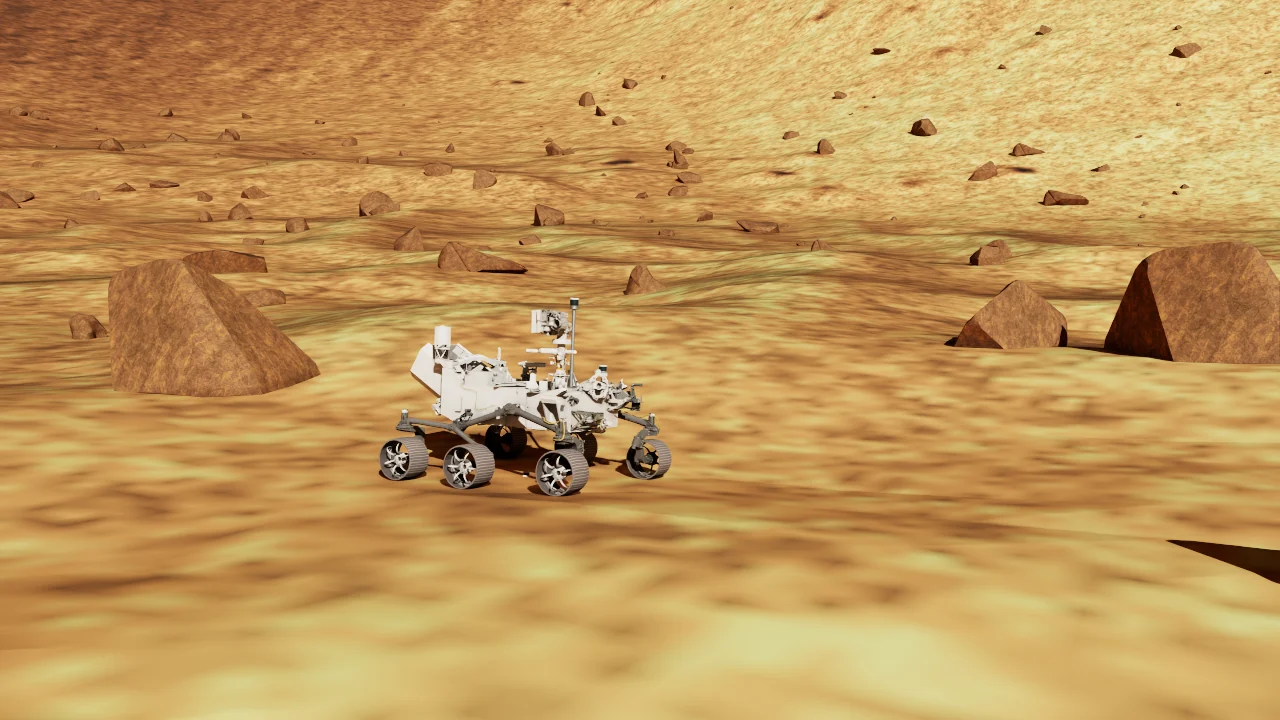
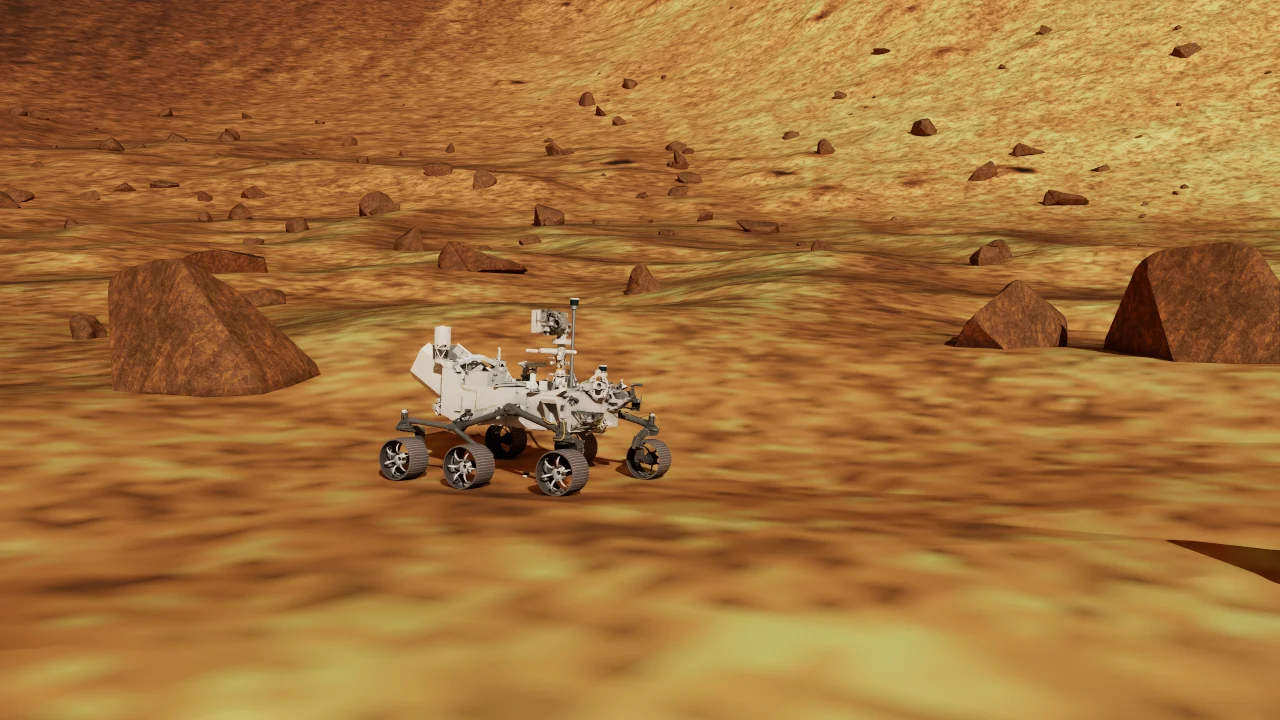
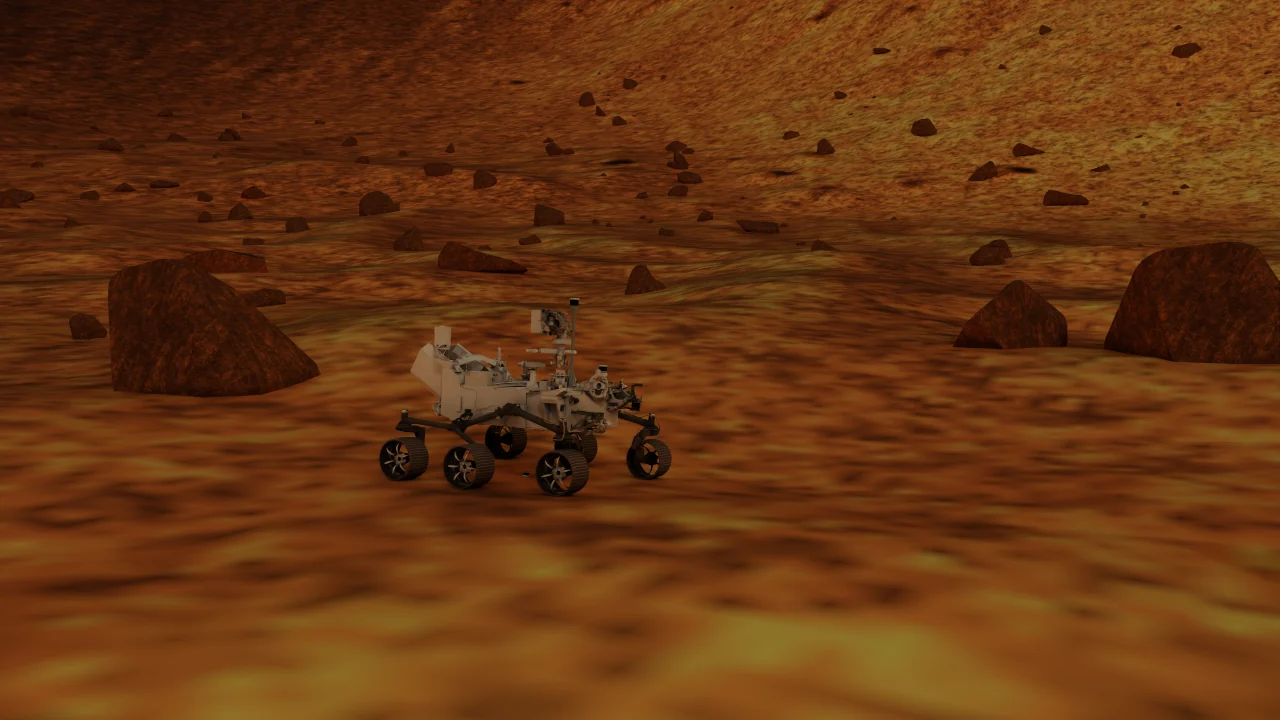
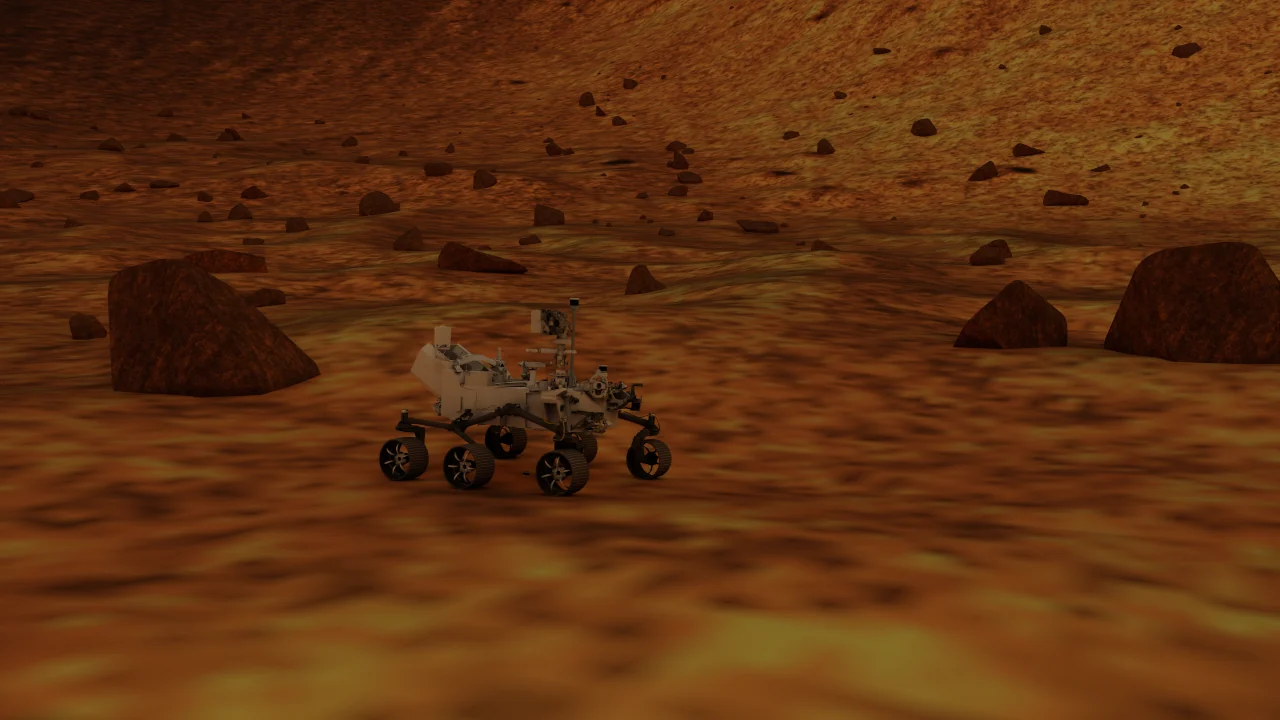
Actual renders with a fixed camera, fixed exposure, and the same sun position (135° azimuth, 35° elevation). Only optical depth changes. This demonstrates the renderer’s response, not a calibrated visibility measurement.
Auto Sweep starts from the latest sun angles. time_scale controls its speed, and sun_sweep.max_elevation_deg controls the intended peak. This is an interactive illumination sweep, not an astronomical day/night model. Headless mode keeps the configured simulation behavior but does not create the GUI panel.
Renderer and image quality
rendering.mode accepts ray_tracing for interactive work or path_tracing for more expensive visual studies. This choice also applies when the atmosphere is disabled.
rendering:
  mode: ray_tracing
  ray_tracing:
    antialiasing_op: 4  # 4 = DLAA; 3 = DLSS
    dlss_exec_mode: 1   # DLSS only: Balanced
DLAA is the supplied default. It uses native-resolution anti-aliasing and was selected to address observed DLSS viewport-edge flicker. DLSS can reduce rendering cost, with results depending on the scene and GPU. dlss_exec_mode changes the DLSS quality mode; it does not select DLAA. For path tracing, tune spp, total_spp, and max_bounces together with runtime cost.
What the atmosphere model represents
Direct normal irradiance follows above the horizon, where is the solar zenith angle. It is zero at and below the horizon. The secant approximation is supported up to about 80° zenith angle; the runtime extends it toward the horizon for continuous rendering without claiming the same accuracy there.
Diffuse light uses a τ-indexed COMIMART reduction at fixed reference conditions. The sky-dome gain, HDRI textures, sun gain, and fog remain renderer controls. Simple fog approximates appearance rather than multiple scattering, and rendered light intensities are not calibrated measurements in W/m².
The dust controls affect scene radiance and appearance. They do not model aerosol-induced attenuation of LiDAR returns. Hold exposure, renderer, textures, and light gains constant when comparing dust conditions. The repository’s assets/atmosphere/README.md records the model assumptions and reference comparisons.
Rover tuning
Geometry and profile-dependent settings
The controller and wheel odometry use the selected profile’s geometry. These are simulation model dimensions, with derived values rounded for readability:
| Profile | Wheel radius | Corner wheelbase | Maximum steer angle |
|---|---|---|---|
| Perseverance | 0.2667 m | 2.2600 m | 0.9 rad |
| Curiosity | 0.2500 m | 2.2600 m | 1.2 rad |
| Opportunity | 0.1300 m | 1.2120 m | 1.2 rad |
| Spirit | 0.1300 m | 1.2120 m | 1.2 rad |
All four current profiles set max_linear_velocity: 4.0, max_angular_velocity: 0.7, and command_timeout: 0.5. These are simulation command limits. Perseverance uses negate_steer: true, while the other three use false to match their joint conventions. Opportunity and Spirit use steer_stiffness: 200000.0; Perseverance and Curiosity use 50000.0. Keep these asset-dependent settings in the profile when switching rovers.
Physics and contact
The rover USD provides geometry, collision shapes, mass, inertia, and center of mass. YAML controls damping, wheel contact materials, suspension damping, and joint drives. Mass and inertia override keys are not supported; the authored mass properties include geometry-based approximations rather than measured flight-rover distributions.
Tune in this order: confirm links and joints, check the asset’s mass properties, adjust wheel contact, then suspension damping, then drive and steering response.
Parameter under rover |
Perseverance value | Effect |
|---|---|---|
linear_damping / angular_damping |
0.5 / 12.0 |
Chassis motion damping |
wheels.friction_static / wheels.friction_dynamic |
0.6 / 0.5 |
Wheel contact friction; static must be at least dynamic |
wheels.restitution |
0.0 |
Wheel contact bounce |
suspension.rocker_damping / suspension.bogie_damping |
75.0 / 50.0 |
Passive suspension response |
control.drive_type |
acceleration |
PhysX drive response; switching to force requires retuning |
control.max_linear_velocity |
4.0 m/s |
Simulation command cap, not a claimed flight-rover speed |
control.max_angular_velocity |
0.7 rad/s |
Angular command limit |
control.max_steer_angle |
0.9 rad |
Steering travel, checked against geometry and USD limits |
control.command_timeout |
0.5 simulated s |
Controlled stop after stale commands |
control.brake_stiffness |
50000.0 |
Parking hold after wheel-rate ramps reach zero; 0 disables it |
The passive rocker differential couples the two differential joints. Drive and steering lists must match the USD exactly: six drive joints and four steering joints in the documented order. Wheel radius, wheelbase, steering-axle offset, and track geometry are shared by control and wheel odometry.
Driving and steering
The controller supports curved driving and pivot turns. A zero linear command with nonzero yaw rate selects a pivot turn. For a substantial steering change, the controller brakes, waits for low measured wheel motion, aligns steering, and then resumes driving. Tune max_wheel_accel_rate, steer_ramp_rate, decel_multiplier, and steering_alignment_tolerance after the geometry and joint limits are correct.
A zero Twist requests braking while retaining steering orientation. Pause preserves control and simulation state; Stop resets the episode, including command state, odometry, and sensor timing. ROS consumers must handle simulation time restarting when a new episode begins.
Sensor tuning
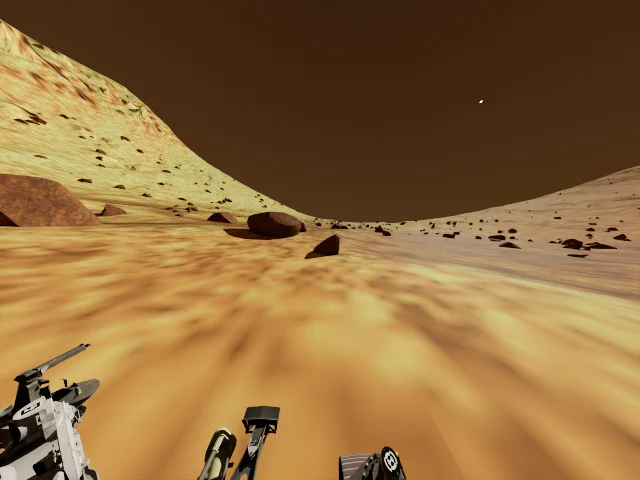
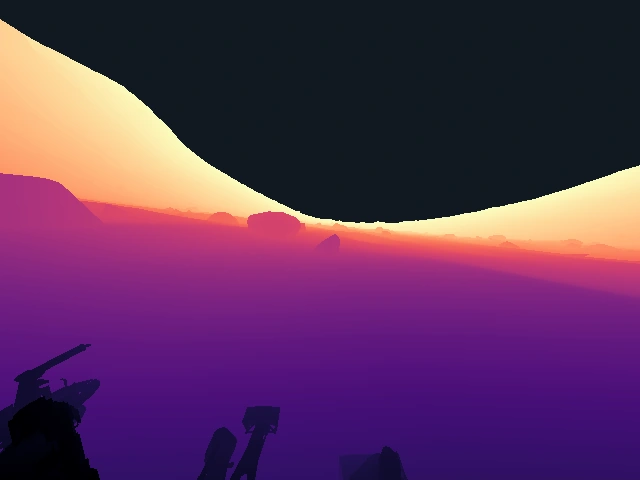

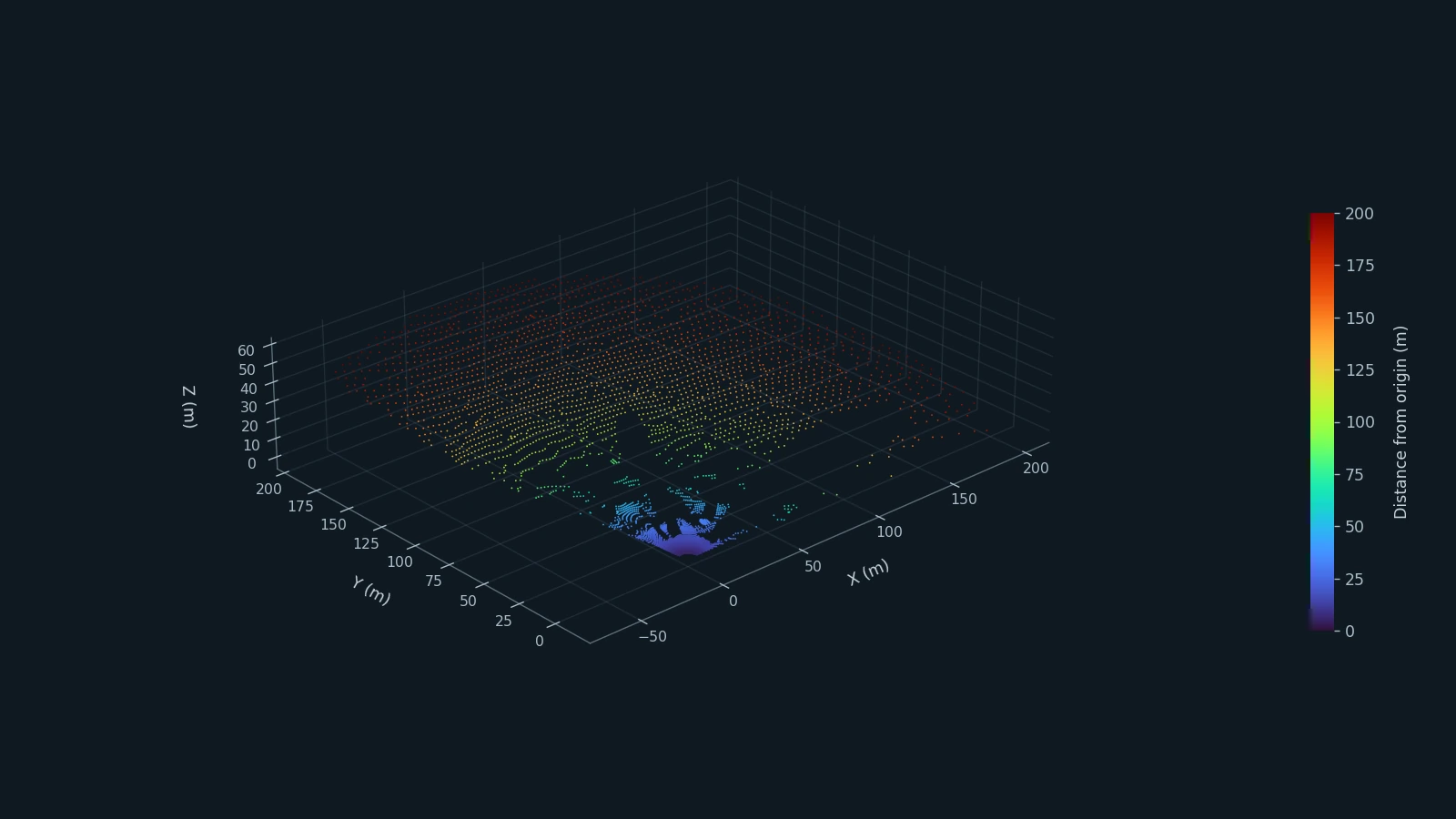 RTX LiDAR · one acquired frame
Acquisition settings by rover
| Profile | Primary camera | IMU | Range sensing by default |
|---|---|---|---|
| Perseverance | 640 × 480; 135° horizontal FOV; 0.3–200 m clip | 30 Hz; nonzero noise on the noisy stream | Synthetic depth, 2-D LiDAR, 3-D LiDAR |
| Curiosity | 1024 × 1024; 45.277° horizontal FOV; 0.03–200 m clip | 8 Hz; zero injected noise | Disabled |
| Opportunity | 1024 × 1024; 45.333° horizontal FOV; 0.06–200 m clip | 8 Hz; zero injected noise | Disabled |
| Spirit | 1024 × 1024; 45.834° horizontal FOV; 0.06–200 m clip | 8 Hz; zero injected noise | Disabled |
Additional camera settings differ within each mission profile; see the rover profiles for camera families and mounts. The three 8 Hz settings describe the simulator’s configured sampling, not a guarantee of observed ROS delivery or flight telemetry cadence.
Perseverance’s 2-D LiDAR covers a forward 135° sector at nominal 10 Hz, over 0.2–200 m. It acquires a full turn internally and crops the published scan. Its 3-D LiDAR is configured for 220° horizontal / 45° vertical FOV at 30 Hz, over 3.5–200 m. The 3.5 m near limit avoids the rover’s own geometry. Tune range_min, range_max, rotation_rate_hz, FOV, and pose together; these are configured limits rather than guaranteed usable detection ranges.
Cameras and depth
The primary rover.sensors.camera supplies RGB and CameraInfo; depth and XYZ clouds are available only when depth_output is enabled. Additional named cameras live in rover.sensors.cameras. An explicit horizontal_fov_deg overrides the focal-length setting. Depth represents distance along the optical axis rather than radial distance from the camera.
Set depth_output: false to disable synthetic depth and cloud outputs. This differs from depth_sensor.enabled, which enables added depth noise. The supplied Perseverance profile outputs depth with that noise disabled. Curiosity, Opportunity, and Spirit disable both synthetic depth output and added depth noise.
For a research experiment with seeded synthetic depth, merge this into the scenario. On Curiosity, Opportunity, or Spirit, this explicitly adds a simulated depth modality that their supplied profiles do not provide:
rover:
  sensors:
    seed: 42
    camera:
      depth_output: true
      depth_sensor:
        enabled: true
        noise_mean: 0.0
        noise_sigma: 0.005
The depth image and noisy organized XYZ cloud share the same sampled noise and acquisition timestamp. Additional cameras publish RGB and CameraInfo under /rover/cameras/<name>/; that does not imply additional flight depth instruments.
Extra camera workload
Curiosity adds 16 named camera views to the primary camera; Opportunity and Spirit add eight each. To isolate the primary camera while debugging, use:
rover:
  sensors:
    cameras: []
This replaces the entire additional-camera list for the run while retaining the primary camera. Remove the override to restore the profile’s full camera set. Camera count and resolution affect rendering and publication workload; check actual rates on your hardware.
Mounts, LiDAR, and reproducibility
Sensor poses use metres and local_orientation_rpy_deg in degrees, unlike the rover spawn orientation in radians. When a camera uses an existing USD camera prim, update its authored pose and matching YAML together; startup rejects a mismatch.
An integer sensor seed derives separate noise streams for wheel odometry, noisy IMU, and optional depth noise. null selects nondeterministic noise. A fixed seed does not guarantee deterministic GPU physics or rendering, and depth noise also depends on acquisition timestamps.
Curiosity, Opportunity, and Spirit already set lidar_2d: null and lidar_3d: null; no LiDAR publisher is expected for these supplied profiles. For 3-D LiDAR, use an installed profile_name and supported variant; keep legacy profile_json_path and usd_profile null. Keep runtime.enable_motion_bvh enabled for moving RTX geometry; this does not deskew the resulting scan.
ROS 2 integration
Topics
All four supplied profiles use the rover namespace and the same primary RGB, command, IMU, odometry, ground-truth, and joint-state names. Available image and range topics depend on the selected profile.
| Interface | Topic |
|---|---|
Velocity command, geometry_msgs/Twist |
/rover/cmd_vel |
| Primary RGB / calibration | /rover/rgb/image_raw · /rover/rgb/camera_info |
| Depth / XYZ cloud — Perseverance by default | /rover/depth/image_raw · /rover/depth/points |
| Raw / noisy IMU | /rover/imu · /rover/imu_noisy |
| 2-D / 3-D LiDAR — Perseverance by default | /rover/scan · /rover/lidar/points |
| Wheel odometry | /rover/odom |
| Ground truth | /rover/GT_Trajectory |
| Joint states / robot description | /rover/joint_states · /rover/robot_description |
| Simulation time | /clock |
For Curiosity, the primary navcam_left_a is exposed through /rover/rgb/image_raw, and an additional Mastcam image is /rover/cameras/mastcam_left/image_raw. For Opportunity and Spirit, the primary is navcam_left, while the right view is /rover/cameras/navcam_right/image_raw. Each image has a matching camera_info topic; the primary is not duplicated under the named-camera path.
Set rover.ros2.namespace without surrounding slashes. The entries in rover.ros2.topics are relative topic names, also without leading or trailing slashes.
TF ownership and wheel odometry
| Publisher | Responsibility |
|---|---|
| ROS companion | base_link to the selected URDF root, articulation TF, and robot description |
| MarsLab sensor bridge | Fixed sensor transforms relative to their configured mounting links; normally Body_Chassis, with camera-specific parents where configured |
| MarsLab wheel odometry | Wheel estimate and optional dynamic odom to base_link TF |
| Ground-truth publisher | Evaluation pose in map / base_link_gt; no TF publication |
Curiosity cameras attached to Body_MastTilt or Body_ArmTurret follow the corresponding articulated mounting link. Their fixed mounting transform must not be reparented to Body_Chassis. Opportunity and Spirit use fixed chassis-relative camera poses.
Wheel odometry uses six wheel encoders and four measured steering angles, with geometry shared by the controller. It applies configured slip and angular-rate noise and integrates planar motion; it does not read ground truth.
If an external localization system owns dynamic odom to base_link TF, set:
wheel_odom:
  publish_tf: false
This disables MarsLab’s dynamic odometry TF, not the odometry topic itself. rover.wheel_odometry.enabled controls the estimate. If you disable the estimate, also disable its TF publication.
QoS and timing
The supplied camera publishers use best-effort delivery. A subscriber requesting reliable delivery will not match them. Use compatible reliability and durability settings for each consumer; keep latched/static data transient-local where appropriate.
The configured IMU frequency and LiDAR rotation rates are not the same as measured end-to-end ROS delivery rates. Inspect live topics and timestamps. The companion’s publish_frequency affects robot-state publication, not Isaac physics or sensor sampling.
Evaluation
The paper evaluates SLAM across sensing modalities, dust conditions, scene geometry, and route lengths. It also evaluates visual place recognition on repeated Mars Base traversals under changes in illumination and dust.
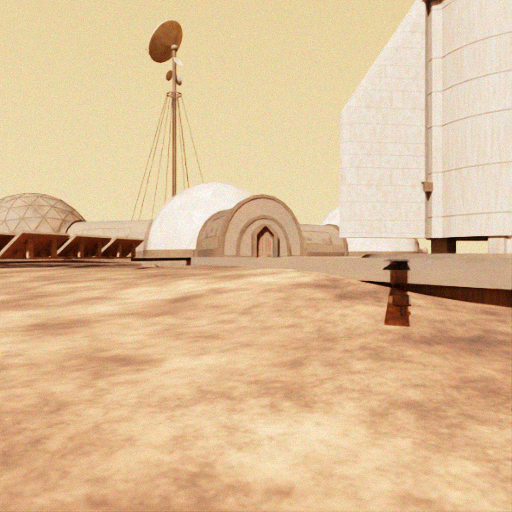
For a repeatable comparison, record the scene, rover profile and overrides, sun angles, dust level, renderer settings, sensor seed, and software versions. Connect the algorithm through ROS, record its estimated trajectory alongside ground truth, and use a consistent alignment and evaluation protocol. A dust sweep isolates visual appearance changes in the current model; it does not test dust-induced LiDAR degradation.
The runtime supplies sensor data and reference motion. The paper’s trajectory followers and full benchmarking pipeline are not bundled with it. See the paper for experimental protocols and quantitative results.
Troubleshooting
| Symptom | What to check |
|---|---|
| Launcher cannot find Isaac Python | Check ISAAC_SIM_PATH; the default installation directory is $HOME/isaacsim. |
| Startup reports a missing scene or rover asset | Check the resolved path and supporting files. Relative paths belong to the declaring YAML. |
| Configuration fails before the viewer opens | Check spelling, types, units, list completeness, and matching rover names. Unsupported keys are rejected. |
| Companion cannot import configuration dependencies | Check that the Python used by ros2 launch has PyYAML 6+ and Pydantic 2+ installed. |
| No depth or LiDAR topics after switching rover | Curiosity, Opportunity, and Spirit disable these outputs by default. Check the selected sensor configuration rather than assuming a bridge failure. |
| Image topic exists but RViz is blank | Set Image reliability to Best Effort and check ROS_DOMAIN_ID and DDS discovery. |
| Rover stops shortly after a command | Publish Twist continuously; the default timeout is 0.5 simulated seconds. |
| Rover spawns incorrectly after changing scenes | Recheck spawn mode, xy, surface support, and positive z_offset. |
| TF conflicts or an inconsistent robot model | Match scenario and rover in both terminals; ensure one owner of dynamic odometry TF. |
| Flicker at viewport edges | Check antialiasing_op: 4 selects DLAA; assess GPU cost with your scene. |
| Consumers fail after Stop / Play | Handle the new episode and simulation timestamps moving backwards. |
YAML changes require a restart. Configuration checks do not start the simulator; final contact behavior, rendering, sensor outputs, ROS compatibility, and resets must be checked in the running simulator.
About the captures on this page
The rover loops, four terrain views, dust comparison, driving clip, illumination sweep, and sensor visualizations were acquired from a local MarsLab run on 19 November 2026, using Isaac Sim 5.1 and an RTX 5090. Rover orbit videos move an observation camera while physics remains active. The driving clip uses MarsLab’s controller without animating the rover pose.
The observation camera renders at 1280 × 720 with a 28 mm lens and fixed exposure (ISO 100, f/5, 1/500 s). Unless varied explicitly, τ is 0.25, sun azimuth is 135°, and elevation is 35°. The Canyon and Mars Base landscape stills use a higher overview camera and 55° solar elevation. Additional profile cameras and ROS publication were disabled for these captures; the native primary camera remains active. These presentation settings do not replace the supplied rover defaults.
The depth image is colorized simulator output, and the point-cloud image is a plot of acquired RTX LiDAR points. Each rover profile retains its individual orbit capture. The day/night evaluation pair is retained from the project’s existing research materials.
Roadmap
The current runtime supports four rover profiles, 2-D and 3-D LiDAR, configurable sensing, a ROS 2 bridge, and independent ground-truth and wheel-odometry streams.
Planned work includes photorealistic scene generation and customizable rock distribution, aerial robots such as Ingenuity, simultaneous multi-robot simulation, richer sensor bias/drift models, improved sky and light rendering, more detailed wheel–soil interaction, integrated evaluation workflows, and containerized deployment. Scene-generation v2.0 is under development and is not part of the current distribution.
This guide was prepared from the MarsLab README, Configuration and Tuning Guide, project documentation, rover technical reports, and current configuration profiles and schemas. For source files and updates, see the MarsLab repository. The repository’s README.md and CONFIGURATION_GUIDE.md are the detailed setup and parameter references.
Citation
@inproceedings{kim2026marslab,
  title = {MarsLab: A Martian Rover Simulator for
           Planetary Rover Autonomous Navigation},
  author = {Kim, Hoyun and Kim, Beomsu and Kim, Giseop},
  booktitle = {International Conference on Space Robotics (iSpaRo)},
  year = {2026},
  eprint = {2609.34702},
  archivePrefix = {arXiv},
  url = {https://arxiv.org/abs/2609.34702}
}